
Showroom Services
Let buyers walk your floor from anywhere.
A high-density 3D scan of your showroom, with every displayed product tagged and linked to your catalog. Built for the buyer who shops on Wednesday night and visits on Saturday.
Why showrooms choose this service
Pre-qualified showroom visits
Buyers arrive having already seen the room. They know which faucet, which tile, which range hood. Your sales team starts the conversation 20 minutes ahead.
Catalog integration without a rebuild
Tag a product once, link it to your existing catalog URL or PDF spec sheet. No new CMS to learn. Tags update without re-scanning.
Trade buyers can specify from the tour
Designers and contractors pull specs straight from the tour into their FF&E lists. Your showroom does work after hours.
What you get
Deliverables
- Walkable 3D tour of the entire showroom floor
- Product tagging on up to 80 displayed items (premium tier)
- Direct links from tags to product pages or PDF spec sheets
- Embed snippets for your website and email campaigns
- Quarterly tag updates included for the first year
See full pricing on the packages page.
A virtual showroom tour turns your floor into a 24/7 sales asset. Buyers shop on their schedule, your team meets them better prepared, and your showroom does work outside business hours.
What we scan
The full retail floor, including any dedicated vignettes, design consultation areas, and accessible storage you want included. We work around inventory and avoid customer-facing hours.
What sits inside every showroom tour
A virtual showroom is more than a real-estate marketing walkthrough — it is a layered product catalog the visitor can browse, search, and act on without leaving the tour. Every build includes the following components.
Info tag
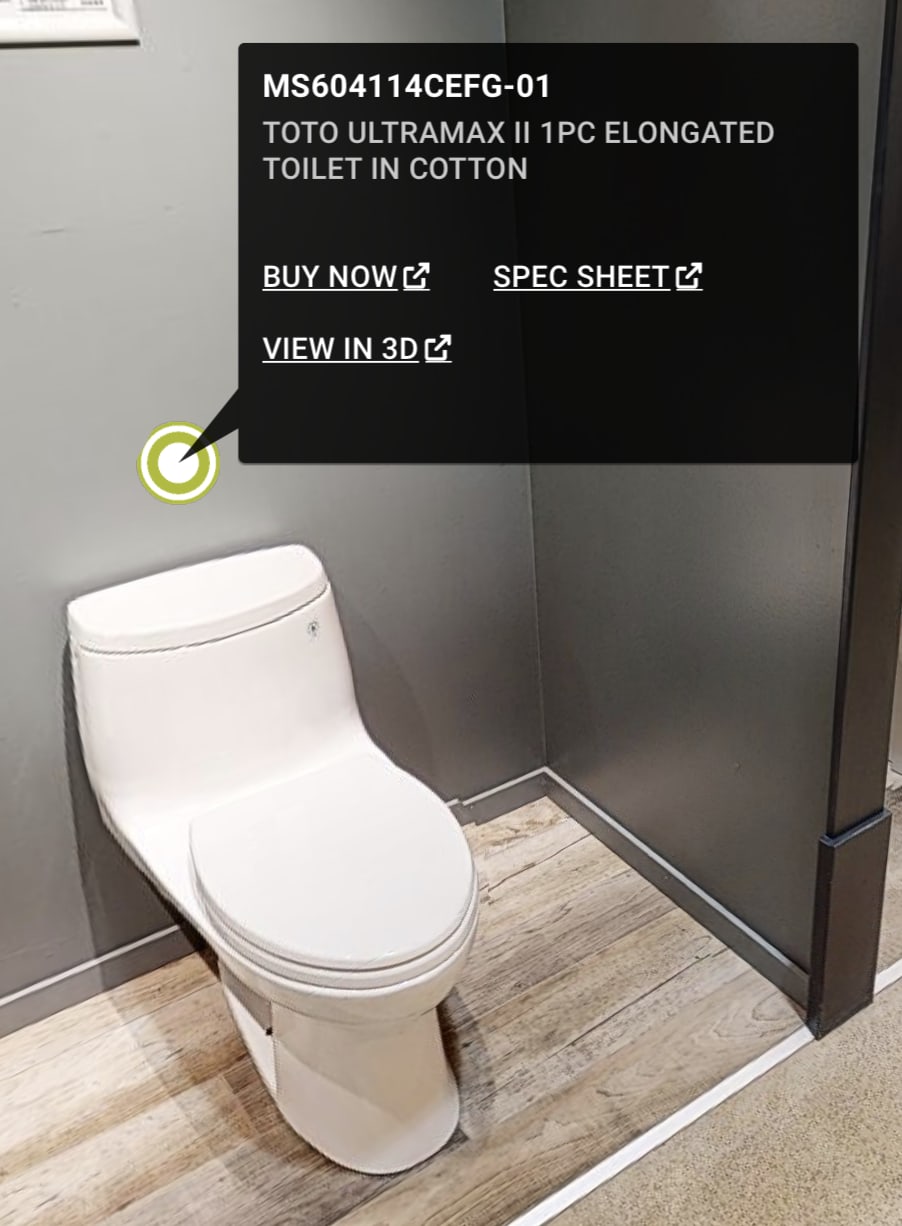
The info tag is the resting state of every product on the floor — a small anchor dot on the fixture that opens an action panel on click. Tagging items means adding a buy-now button, internal hyperlinks, external web sources, in-depth product descriptions, brochure links, or spec sheets. Anything that adds value and answers a buyer’s question sits neatly inside the tag — a convenient, customisable way to communicate with customers without picking up the phone.
Media tag
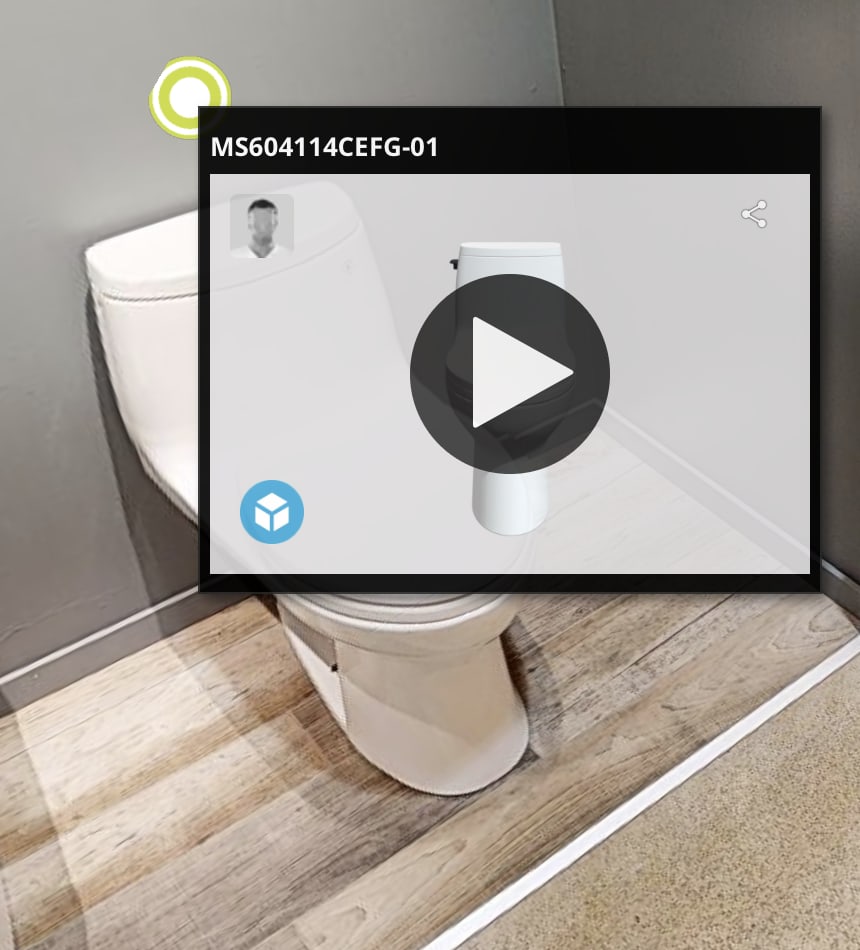
A tag can also carry video, photo, or audio directly. The media tag sits anchored to the product and plays in place — the buyer clicks the play overlay and watches the installation walkthrough, the brand promo, or the product demo without leaving the tour or even moving the camera.
Billboard tag
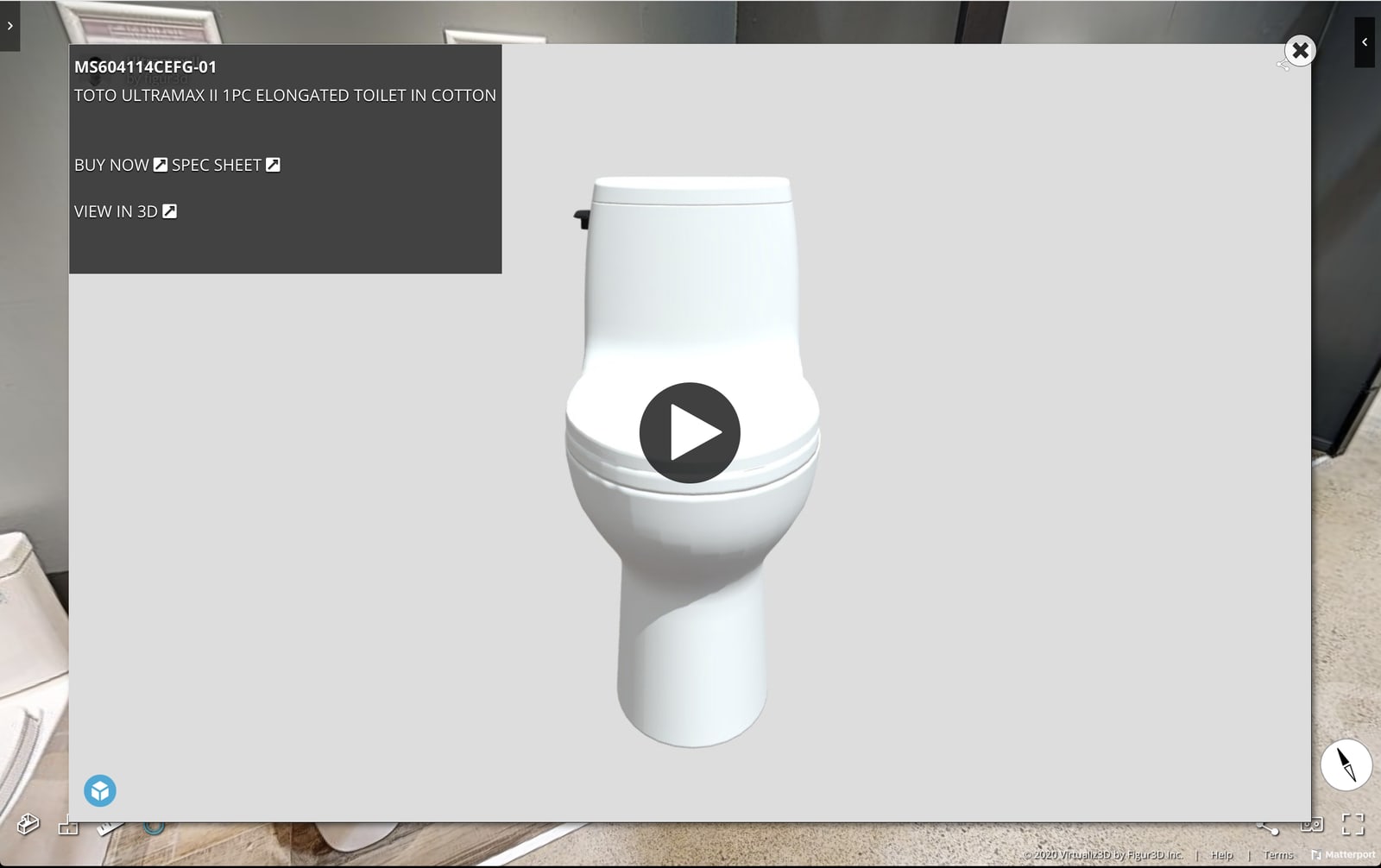
The billboard tag opens a full media window inside the virtual tour itself — instead of launching a new browser tab. Designers can preview a 3D product, watch an installation video, or look at a spec image without losing their place on the floor.
Detail panel
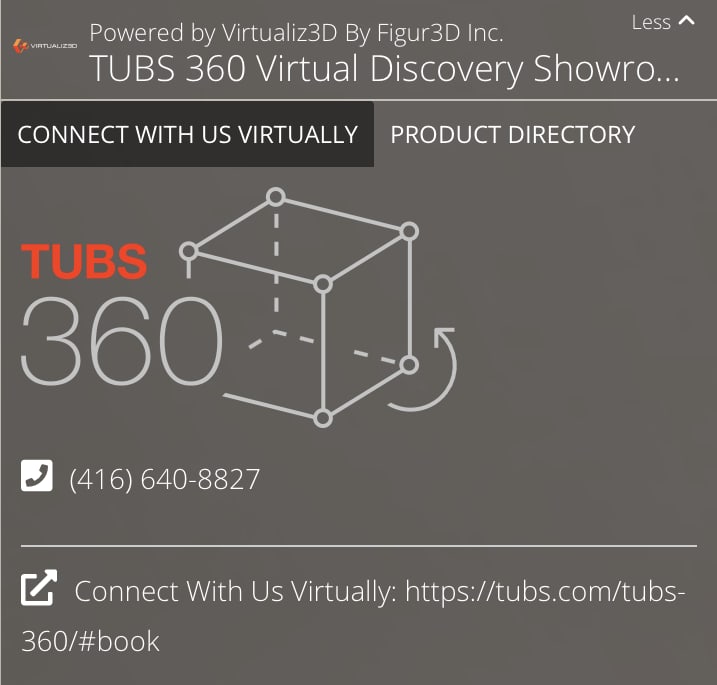
The detail panel adds an immense amount of functionality to a virtual showroom. It keeps you and your clients connected while the tour is open — phone, booking link, brand mark visible at all times — and it houses the product directory so every SKU on the floor is one click away.
Product directory
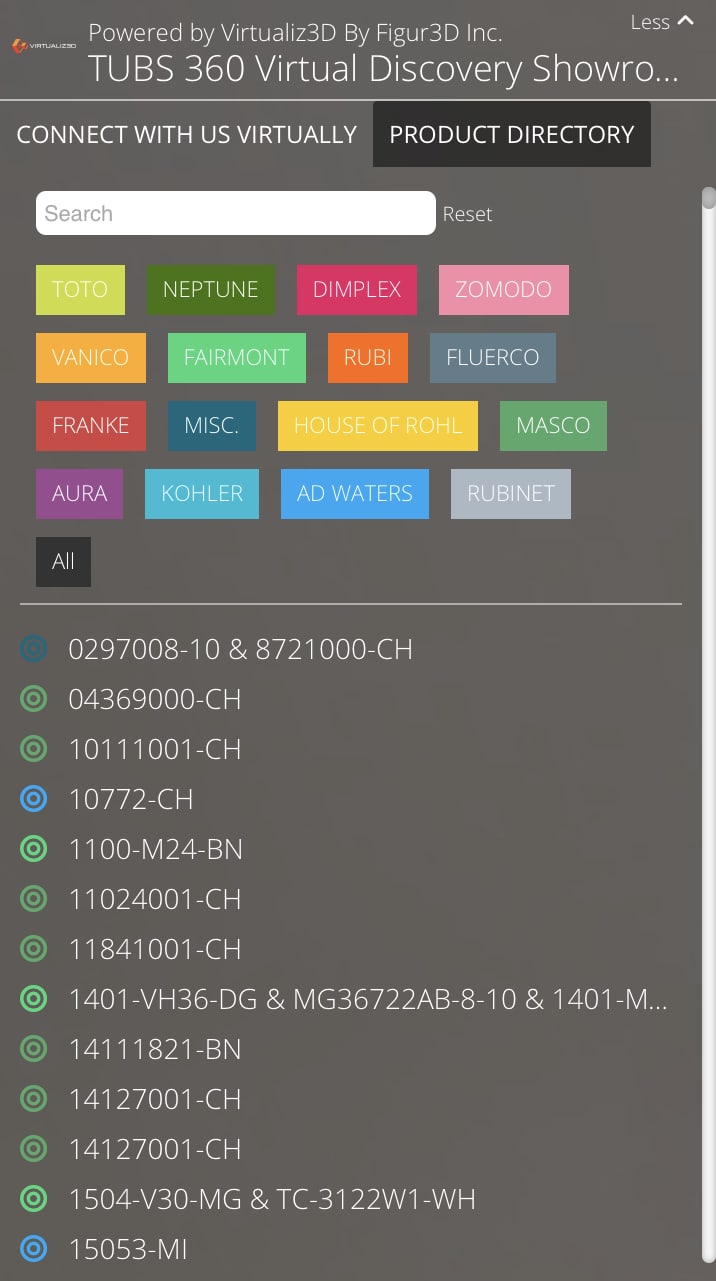
The product directory organises every tagged product into one searchable, filterable view. Products can be filtered by brand and by category, and the search bar lets a designer pull up a specific SKU in seconds — useful when the buyer asks “do you carry the Rubinet 14127001-CH?” and the sales team wants an instant answer.
Mini map
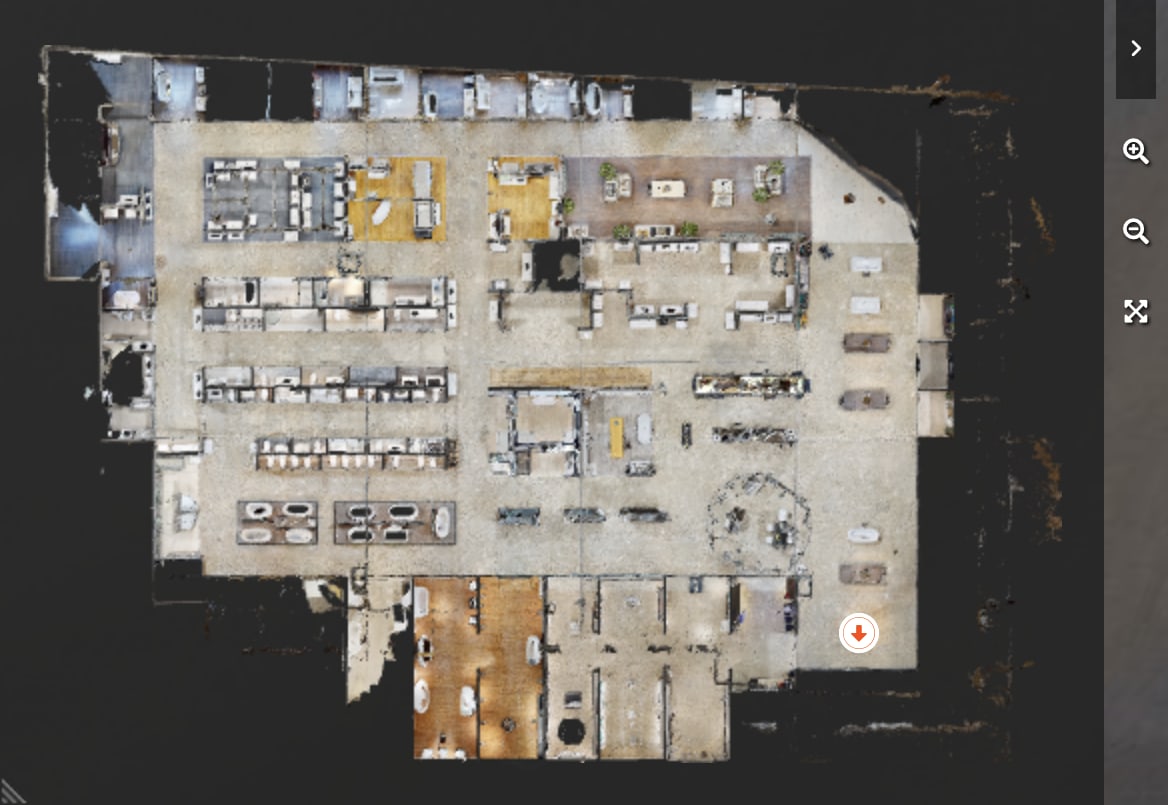
The mini map sits in the top-right corner of the tour and lets users jump from location to location on the floor. It also shows a marker and direction, so the buyer always knows exactly where they are inside the showroom.
Google Analytics integration
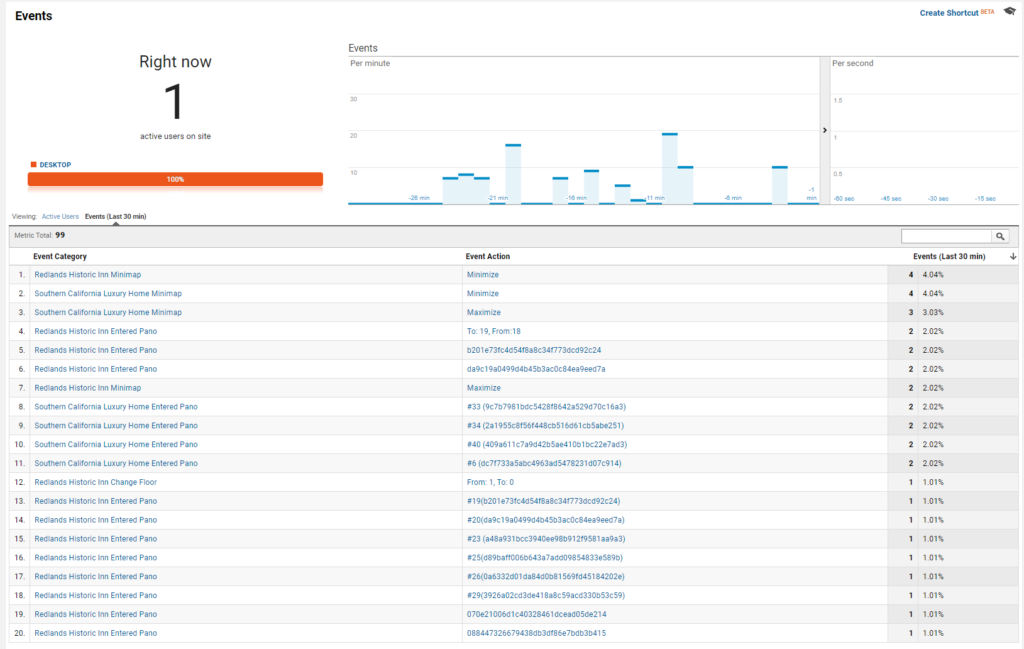
Every tour is wired up to Google Analytics. You can see where users have travelled inside the showroom, which product tags were viewed, and which displays held attention longest. The result is a clean view of which products earn the click — and the data to fine-tune both the physical and virtual showroom around what is actually working.
Branding, custom UI, and music
The interface is branded for your showroom — your colours, your logo, your custom tag icons, and (optionally) background music tuned to the floor experience. Buyers do not leave the tour to recognize your brand.
Where this fits in our packages
Every tier includes the walkable tour, mini map, product directory, branded custom UI, custom tag icons, background music, Google Analytics, and product tags with code & descriptions. Premium adds web integration on tags (buy-now, cart, wishlist, web links). Ultra adds full media integration on tags (PDFs, pictures, video, audio, 3D product images, installation menu). See the packages page for the full breakdown, or step into the TUBS Virtual Showroom case study for a real example.
Frequently asked questions
How long does a showroom scan take?
Showroom scans run 1 to 5 days depending on floor size and product count. A single scan technician works after hours or before opening so the floor stays presentable.
What happens when displays change?
Small changes (a new tile in an existing display) we update via tag edits, included quarterly. A full floor reset means a rescan, which is priced as a discounted return visit.
Can the tour be embedded in our website and on third-party listings?
Yes. Standard iframe embed works on Squarespace, Shopify, WordPress, custom builds, and most ad platforms. We supply embed code and a poster image for fast loading.
Open your floor 24/7
Let buyers walk the showroom from anywhere.
We scan after-hours so your floor stays presentable. Tell us about the room and we will scope a visit.